Experience authentic on-board diagnostics and vehicle coding with our OBD Device. Scan any vehicle to reveal stored faults, monitor vehicle data in real-time, and apply hidden software customizations.
This FiveM OBD diagnostic script delivers authentic on-board diagnostics to roleplay — a free, standalone device that scans vehicles, surfaces stored fault codes, and applies hidden software modifications through a realistic OBD interface. Mechanic RP has always been held back by how shallow vanilla car interactions feel. This device fills that gap with a full diagnostic loop — plug in, read the data, fix the fault — that finally gives mechanics, tuners, and curious drivers something tangible to do under the hood. Whether you run a busy economy server or a tight-knit mechanic-focused community, every car on the map becomes a small system that can be inspected, broken, and repaired.
🎬 Script Showcase
See the OBD device live — scanning a vehicle, pulling diagnostic codes, applying software mods, and launching straight from an in-game phone UI.
🔧 What This FiveM OBD Diagnostic Script Delivers
What ships out of the box is a fully functional OBD experience that drops cleanly into any server. Players can scan any vehicle they”re in, read live engine data straight from the car, and work through a catalogue of 10+ realistic pre-made faults. Mechanics finally get a real tool — not a fake animation — that they can use to diagnose damage during repair RP, and 15+ pre-made software modifications let tuners unlock hidden vehicle behaviours through code rather than parts. Because the fault and mod systems are fully extensible via exports, your dev team can wire them into any existing damage, tuning, or job script you already run.
✨ Full Feature Breakdown
Every feature is tuned to deliver mechanic-grade immersion without bloating your resource list:
Realistic OBD device UI built to mimic a genuine diagnostic scanner
Scan your vehicle directly for stored faults
Pre-made fault logging system with 10+ ready-to-use faults
Add your own faults through a clean export — ideal for triggering from external scripts
Vehicle modification module with 15+ pre-made mods, with easy support to add your own
Read live-data of your car in real time
Official integration with the t1ger_mechanic script
Built-in integrations for all popular phone systems: lb-phone, yseries phone, GKSPhone v2 and lb-tablet
Full localization system that lets you translate anything the device shows
🧩 Framework & Server Compatibility
Designed as a true plug-and-play resource, this works flawlessly on every common FiveM stack — including servers running no framework at all. As a QBCore vehicle fault scanner it slots into mechanic jobs naturally, but it”s equally comfortable on ESX, Qbox, VRP, or fully standalone setups. Compatibility is bridged through kq_link, the developer”s fully open-source connector that links the device to your existing inventory, notification, and dispatch resources without locking you to a specific dependency.
Standalone
ESX
QBCore
Qbox
VRP
kq_link required — fully open-source, with supported resources listed on its GitHub page
💬 Frequently Asked Questions
Q: Do I need a framework to use this device?
A: No. The script is fully standalone and runs on servers with no framework, while also supporting ESX, QBCore, Qbox, and VRP through kq_link.
Q: Which phone scripts does it integrate with out of the box?
A: It ships with built-in integrations for lb-phone, yseries phone, GKSPhone v2, and lb-tablet, so most popular phone systems can launch the OBD UI directly from an app or tablet.
Q: Can I add my own custom faults and vehicle mods?
A: Yes. Both the fault system and the modification system are extensible through exports, making it straightforward to wire your own damage logic or tuning options into the device.
Q: What is kq_link and do I need to install it separately?
A: kq_link is the developer”s open-source bridge that connects the device to your inventory, notifications, and dispatch resources. It”s a separate install but ensures the script stays compatible across frameworks, and a full list of supported resources is published on its GitHub page.
Q: Does it work alongside a dedicated mechanic script?
A: Yes. The device has official integration with t1ger_mechanic, and the export-driven fault system means it can be tied into virtually any mechanic, damage, or repair workflow your server already runs.
🚗 The Diagnostic Layer Your Server Has Been Missing
This isn”t a cosmetic prop or a UI mock-up — it”s a working diagnostic layer that turns every vehicle on your server into something players can plug into, read, and modify. Mechanics finally get a tool that matches the depth of the job. Players finally get a reason to care about what”s actually wrong with their car. And because it”s free, standalone, and fully extensible, there”s nothing between installing it today and shipping it to your players tonight.




Eliezer Lopez –
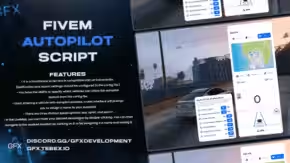
The Vehicle Autopilot script is amazing! It works flawlessly on my FiveM server.
Mark Reilly –
It works well but wish it had more predefined locations out of the box. Easily editable though.
Carlos Varela –
This makes roleplay feel so much more immersive. My community loves it. Especially how it respects traffic rules.
Daniel Crowley –
Top-tier quality. Feels futuristic. The map interface is super intuitive, and being able to save locations is clutch.
Sami Rahman –
Slick UI and the K and U keys are well chosen, but I remapped them easily. Good that it’s all configurable.
Nina Waters –
The parking hologram feature is cool but takes a bit to get used to. Still, a solid script overall.
Jared McMillan –
Surprisingly smooth experience. The eco/sport/sport+ modes make a real difference in how it drives. Love the customization in the config too.
Kayla Nguyen –
Super easy to integrate. My server uses multiple frameworks and it worked out of the gate. Config is well documented too.
Emily Garza –
Really fun to play around with. The door ‘dance’ button made everyone laugh. Cool little detail.
Jonas Beck –
A bit buggy in tight spaces but nothing game-breaking. Otherwise, really well thought out.
Lena Brooks –
Nice touch with the emergency button. It saved me during a chase when I couldn’t drive myself. Would love a voice prompt though!