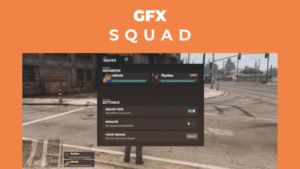
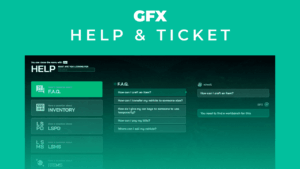
This FiveM chat theme script delivers a clean, modern chat UI with built-in admin moderation tools, spam protection, and emoji support — giving your server a polished communication layer right out of the box. Whether you’re running a roleplay community, a freeroam server, or a competitive game mode, the default FiveM chat box has always felt clunky and dated. This release replaces it with a sharp, minimal interface that finally matches the production quality of the rest of your server — and it costs nothing.
Built for admins as much as for players, the script ships with the moderation shortcuts and spam controls you need to keep your chat readable during peak hours. Every option is exposed for tweaking, so you can match your server’s identity without diving into the source.
✨ Why This FiveM Chat Theme Script Stands Out
Most free chat replacements either look great but break under moderation pressure, or they handle commands well and look like they were styled in 2015. This one threads the needle. The clean UI gives players a chat experience that feels modern, while the admin tooling — mute, unmute, kick shortcuts, bad word filtering, and XSS protection — gives staff genuine control. The result is a chat layer that disappears into the background when things are calm and steps up the moment moderation is needed.
Three chat display modes (Hidden, On Input, Visible) cycled with the L key let players choose how chat fits their playstyle — roleplayers can keep it minimal during scenes, while social players keep it always visible. It’s a small touch that respects how differently players actually use chat.
🛠️ Full Feature Breakdown
Every feature included is built around two outcomes: a cleaner player experience and faster admin response times.
- Easy to configure — tune the look and behavior to match your server identity without editing core logic
- Admin commands included: /mute, /unmute, /announce, /clearall for instant moderation control
- Spam protection to keep chat readable during raids, events, and peak hours
- Kick and mute shortcuts for admins — no more typing full commands during heated moments
- Bad word filter to enforce community standards automatically
- XSS protection for safe rendering of player input
- Full emoji support so chat feels expressive and modern
- Three chat modes — Hidden, On Input, and Visible — cycled with the L key
- Command autocomplete so players and admins find the right command faster
- Auto-announcement system that broadcasts on a configurable interval — perfect for rules, Discord links, or event reminders
⚙️ Compatibility & Requirements
This is a standalone FiveM clean chat UI replacement, so it slots into virtually any server stack — QBCore, ESX, Qbox, or custom frameworks. There’s only one dependency to install alongside it.
- gfx-base — required base resource for the UI to render correctly
Because the script is fully configurable, you can adjust the moderation behavior, auto-announcement timing, and chat appearance to fit how your community actually plays. Drop it in, configure your preferred settings, and the new chat is live.
❓ Frequently Asked Questions
Q: Is this chat theme really free?
A: Yes — this is a completely free release. You get the full feature set, including admin moderation tools, spam protection, and the auto-announcement system, with no paid tier behind it.
Q: Does it work with QBCore, ESX, and Qbox?
A: Yes. The script is framework-agnostic, so it works as a drop-in chat replacement on QBCore, ESX, Qbox, and custom server setups. The only requirement is the gfx-base resource.
Q: How do players switch between chat display modes?
A: Players cycle between Hidden, On Input, and Visible modes by pressing the L key. This lets each player choose how prominent chat is during their session without admin intervention.
Q: Can admins moderate chat without typing full commands every time?
A: Yes. The script includes kick and mute shortcuts for admins, plus the full set of /mute, /unmute, /announce, and /clearall commands with autocomplete to speed up moderation during busy moments.
Q: How does the auto-announcement feature work?
A: You set the announcement interval in the config, and the chat will automatically broadcast your configured messages on that schedule. It’s ideal for rotating rules reminders, event notices, or community links without needing staff to post them manually.
🚀 Upgrade Your Server’s Chat in Minutes
A clean chat is one of those small upgrades that players notice the moment they spawn in. This release gives you a sharper interface, real moderation tools, and the kind of polish that makes a server feel established — all for free. Install it once, configure it to your taste, and watch your chat finally look the way the rest of your server already does.